Request M3
Add an M3 Service to a Project
Once a project exists, you can request access to the HPC - M3 service.
- Go to My Projects and click View Details for the project.
- Scroll to the Project Services section.
- Click Request a Service for the Project (or similar button).
You will see a list of available services, including HPC - M3:
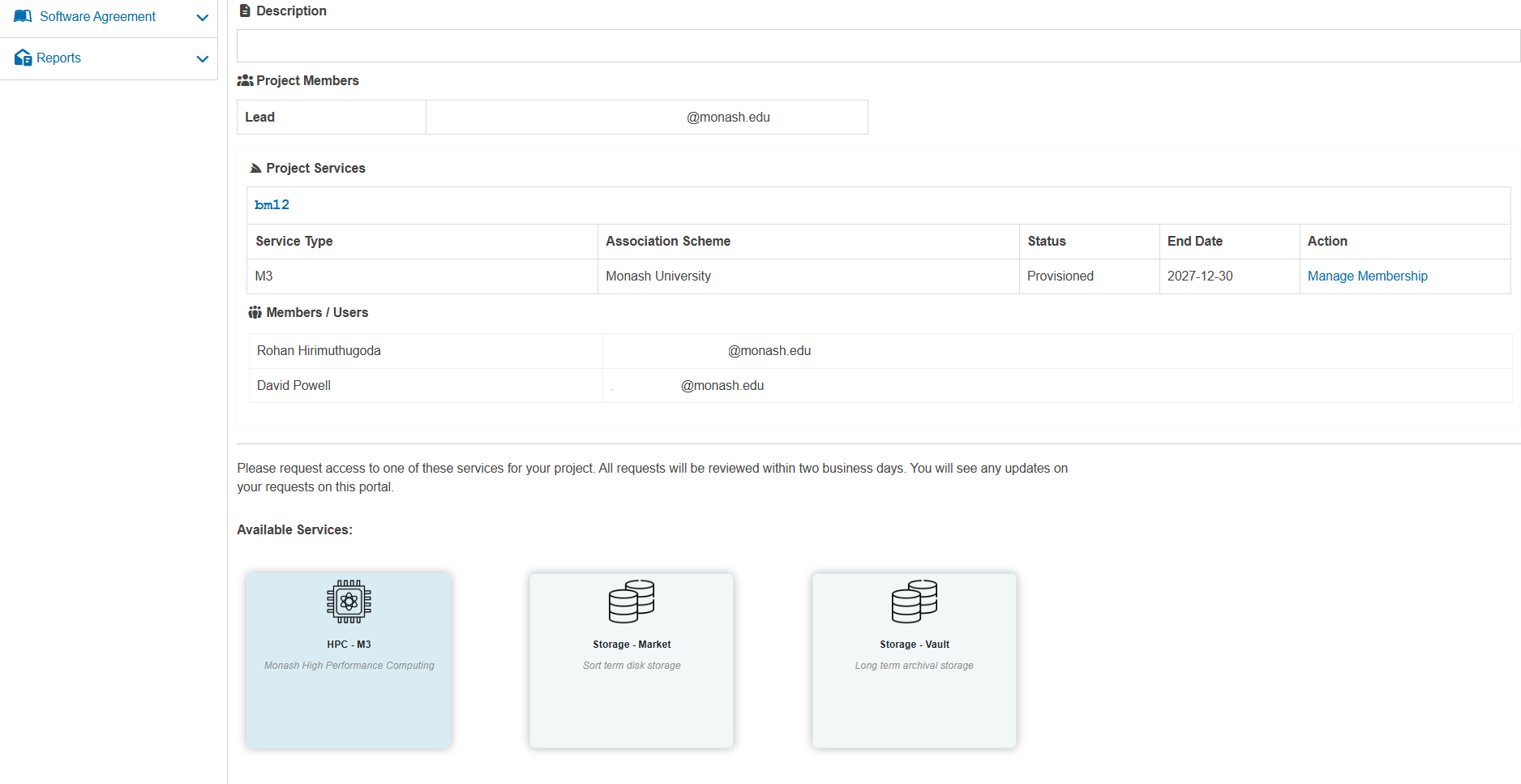
Click on HPC - M3 to open the New Project Service Request form:
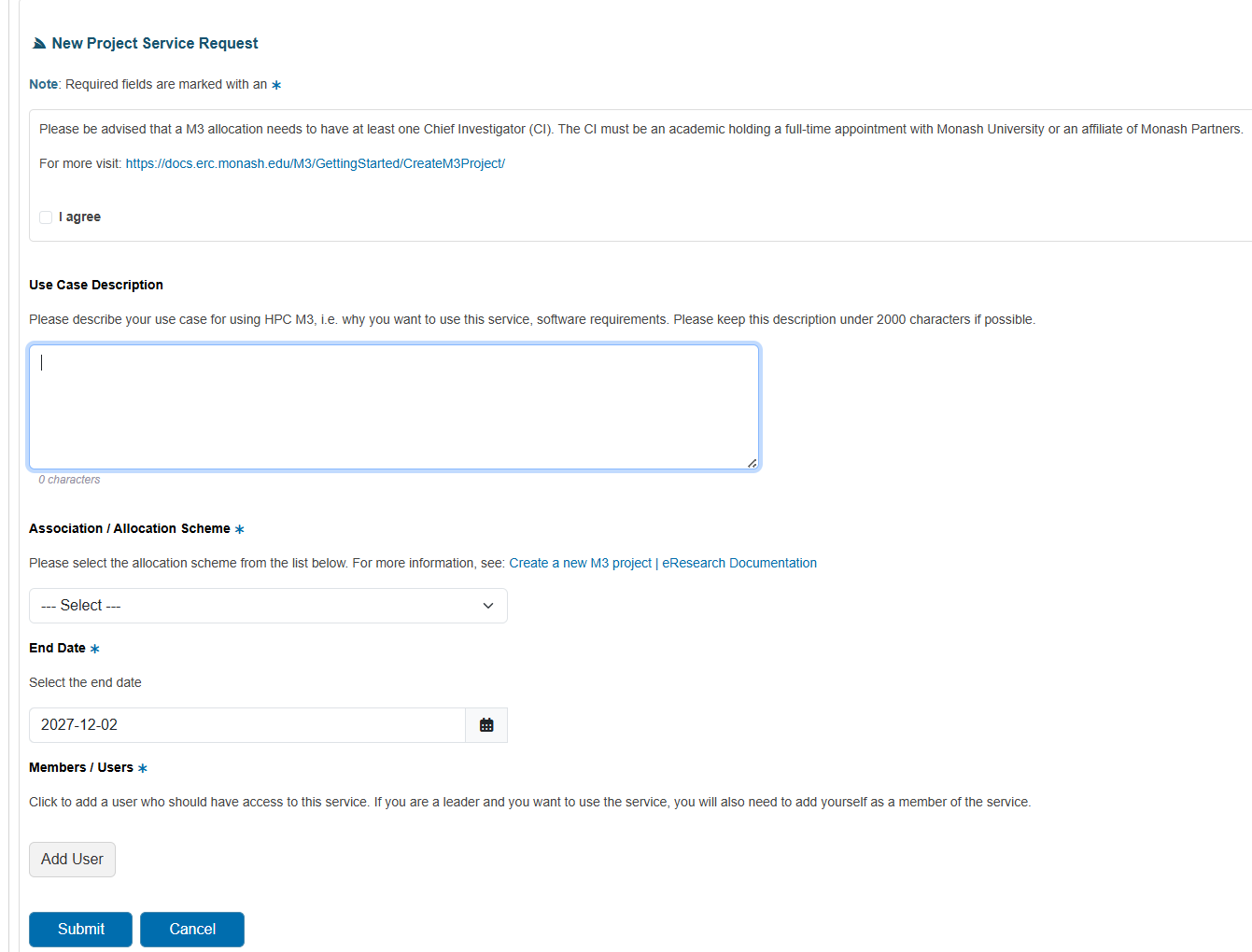
Complete the fields
Use Case Description Explain why you need M3, including expected workloads, software requirements, and data volumes.
Association / Allocation Scheme Select the appropriate allocation scheme (for example, Monash University). If you are unsure, consult the eResearch documentation or your local support contact.
End Date Choose the date when you expect the allocation to end.
Members / Users Click Add User to add project members who should have access to the M3 service. As the project leader, you should also add yourself as a member.
When finished, click Submit to submit the M3 service request.