ANSYS
M3 relies on the engineering faculty's ANSYS licensing server. It is restricted. Please see Modules - Licensed software for instructions on accessing it.
The module ansys/25r1 is a native Rocky 9 OS installation of Ansys. Previous versions were container versions of Ansys and some had issues due to this.
What is ANSYS?
ANSYS offers a comprehensive software suite that spans the entire range of physics, providing access to virtually any field of engineering simulation that a design process requires. Use of ANSYS is normally via Fluent or CFX.
-
Fluent is a program for modeling fluid flow and heat transfer in complex geometries.
-
CFX is a Computational Fluid Dynamics (CFD) and Engineering package. CFX contains:
- advanced coupled multigrid linear solver technology
- meshing flexibility
- parallel enabled
- pre- and post-processing capabilities
Examples of uses include: multiple frame of reference, turbulence, combustion and radiation, Eulerian two phase and free surface flow.
In addition, CFX offers an open architecture that encourages customisation on all levels. Both input and results are in accessible formats that allow easy customisation.
Example Fluent job for one node
#!/bin/csh
#SBATCH --job-name=example
# general partition that includes high-core and high-speed machines
#SBATCH --partition=comp
#set time for 3 hours
#SBATCH --time=03:00:00
#use 16 cores on one node
#SBATCH --ntasks=16
#SBATCH --ntasks-per-node=16
#SBATCH --cpus-per-task=1
#memory per node is 2000MB
#SBATCH --mem=2000


#module load "ANSYS/15.0"
fluent 3ddp -g -t16 -mpi=pcmpi -i l2_slow -ssh
###################
# Note. Fluent contains its own version of mpi
# The number of tasks (-t16 here) must match the number you request with SBATCH command
# you could use the environment variables SLURM_TASKS_PER_NODE and SLURM_NNODES instead.
# --
###################
#Restart jobs
#If you need to run Fluent for a very long time we suggest you
#investigate doing checkpoint/restart to run the one long job as a
#sequence of shorter self-submitting jobs. Each job writes out restart
#files which are then used as input to the next job.
###################
Running Fluent on multiple nodes
The above code works when running on a single server, but the MPI used
by fluent does not understand our Slurm scheduler environment. To run
across two more servers, the following changes need to be made.
FLUENTNODES="$(scontrol show hostnames)"
FLUENTNODES=$(echo $FLUENTNODES | tr ' ' ',')
#you may need to set some network settings, depending on the server
#export OMPI_MCA_MXM_IB_GID_INDEX=3
#export OMPI_MCA_MXM_RDMA_PORTS=mlx5_0:1
MPI_TYPE=openmpi
#run fluent
fluent 2ddp -mpi=${MPI_TYPE}  -cnf=$FLUENTNODES -t${SLURM_NTASKS} -g
Running Fluent Workbench
It is possible to run the Fluent Workbench. Please note that this is not a recommended way to do things:
- Strudel jobs may start at difficult times, causing wasted compute resources.
- Slow Networks may result in inferior GUI performance.
- Is your simulation able to use the Desktop GPU? If not, you can request CPU only desktops.
A better approach would be to use a local machine for model creation, and using HPC resources for scaling up the processibng.
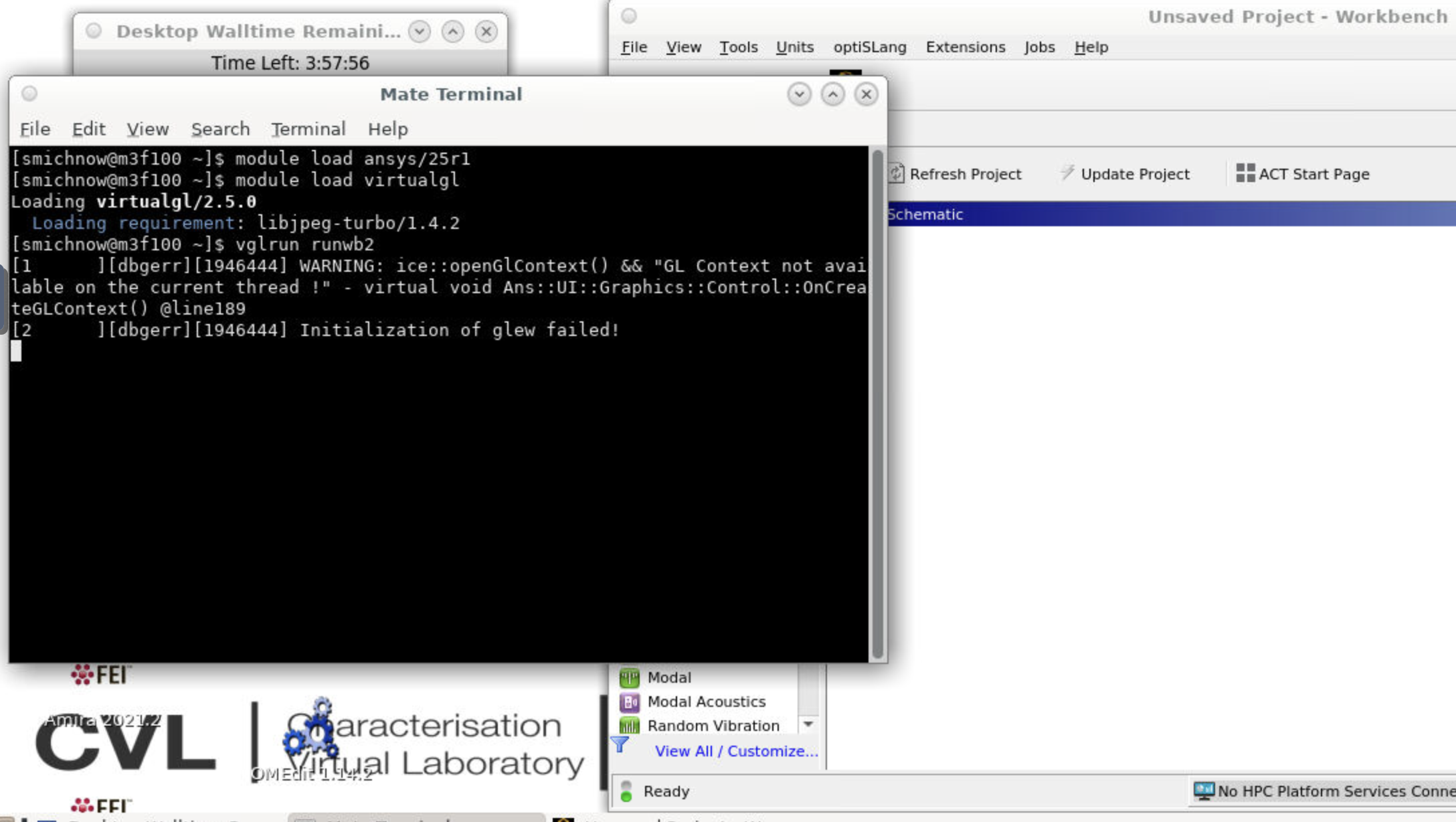
To start, open a terminal in Strudel and type:
module load ansys/25r1  #don't use earlier versions
module load virtualgl
vglrun runwb2