Logging into XNAT
Follow the steps below to sign in to XNAT.
-
Go to https://xnat.monash.edu
-
Click Sign In.
-
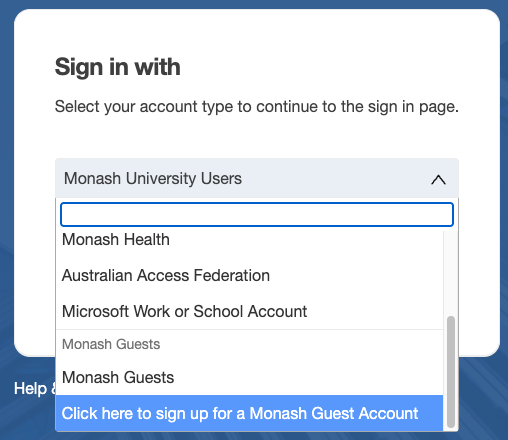
From the sign-in options, select your organisation or AAF. If neither option applies to you, see Monash Guest accounts below.
-
Enter your credentials and sign in.
Monash Guest accounts
If you do not have access through an organisation or AAF, you can request a Monash Guest account.
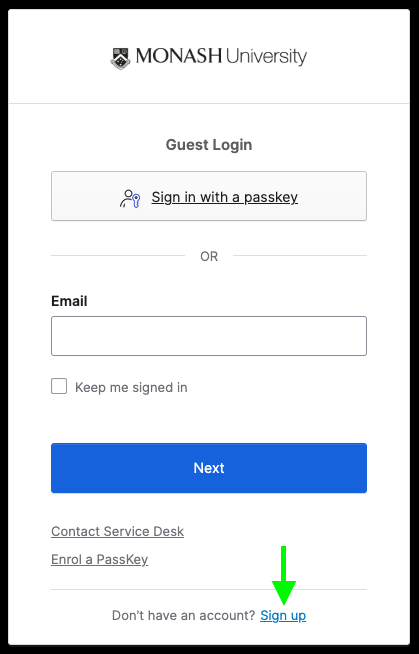
- On the Monash sign-in page, scroll down to Click here to sign up for a Monash Guest Account:
-
You only need to complete the guest account sign-up process once.
-
After completing the sign-up, email merc-xnat-support@monash.edu with your email address, first name, and last name. An XNAT administrator will review your request and contact you with further information. It may take up to one week to process your application.