Request M3 Service
Add an M3 Service to a Project
Once a project exists, you can request access to the HPC - M3 service.
- Go to My Projects and click View Details for the project.
- Scroll to the Project Services section.
- Click Request a Service for the Project (or similar button).
You will see a list of available services, including HPC - M3:
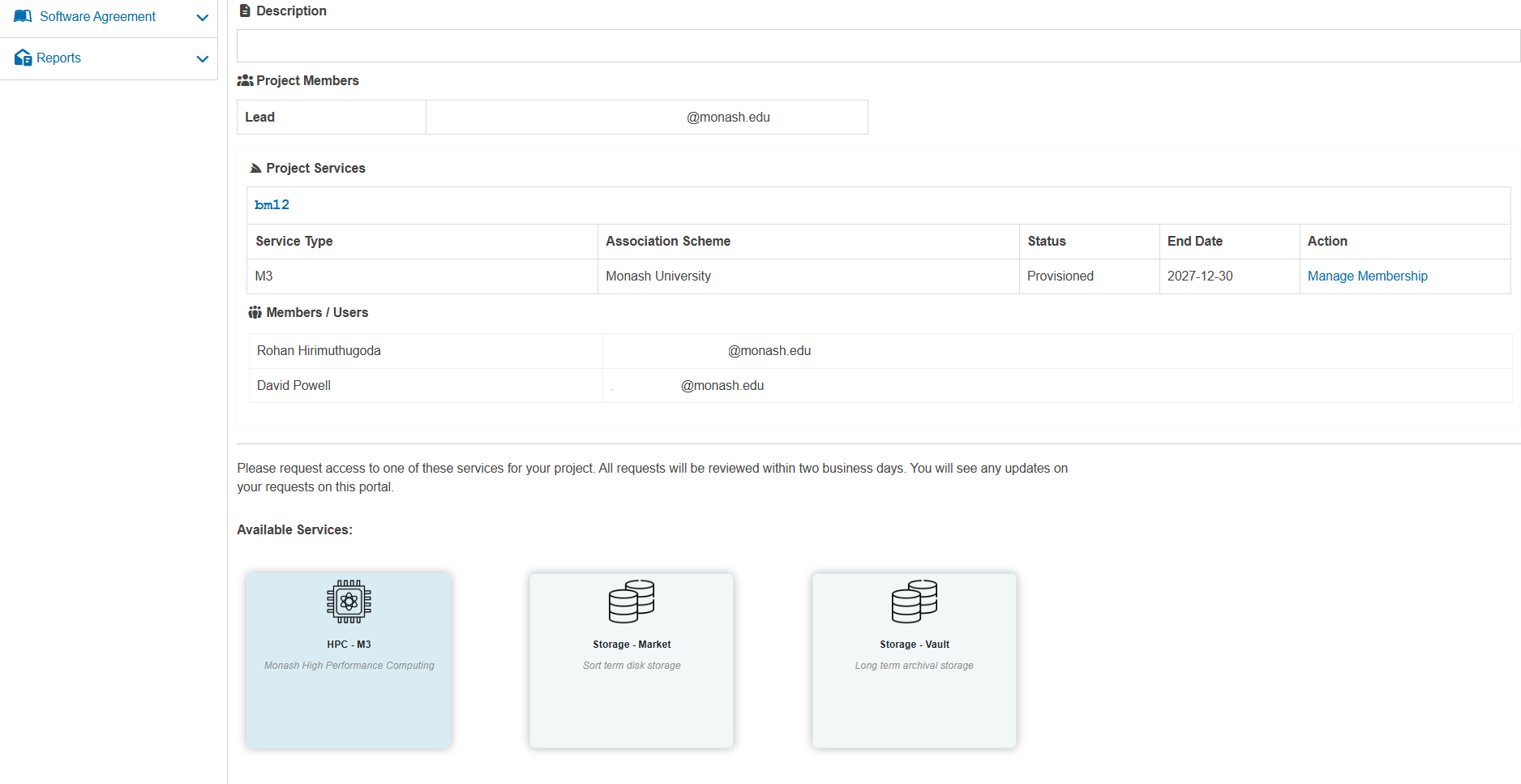
Click on HPC - M3 to open the New Project Service Request form:
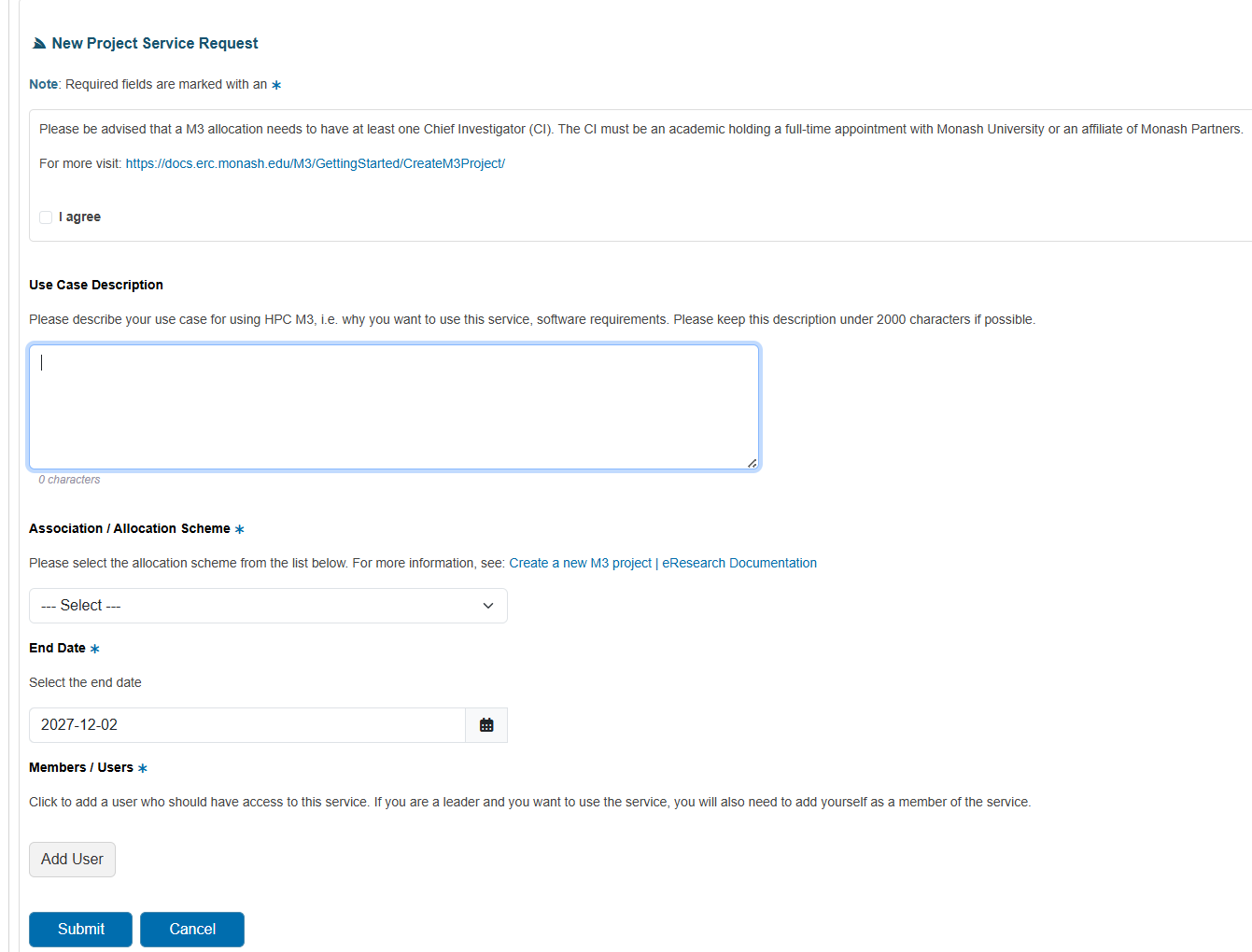
The form includes the following fields:
| Field | Description |
|---|---|
| Use Case Description | Explain why you need M3, including expected workloads, software requirements, and data volumes. |
| Association / Allocation Scheme | Select the appropriate allocation scheme (for example, Monash University). If you are unsure, consult the eResearch documentation or your local support contact. |
| End Date | Choose the date when you expect the allocation to end. |
| Members / Users | Click Add User to add project members who should have access to the M3 service. As the project leader, you should also add yourself as a member. |
When finished, click Submit to complete the M3 service request.