Create a Project
To create a new project:
- In the left navigation, expand Project.
- Click New Project.
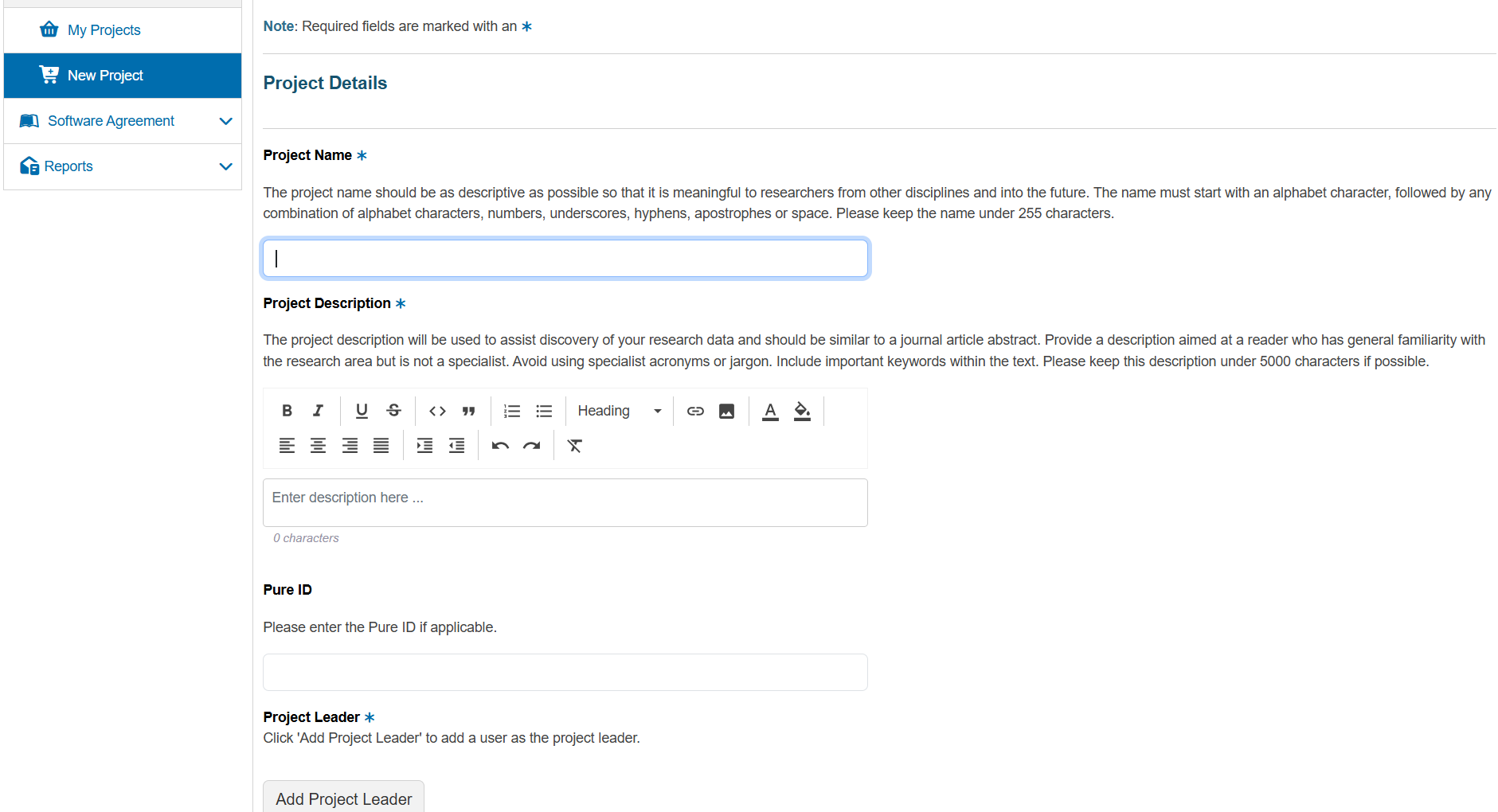
You will see the Project Details form:
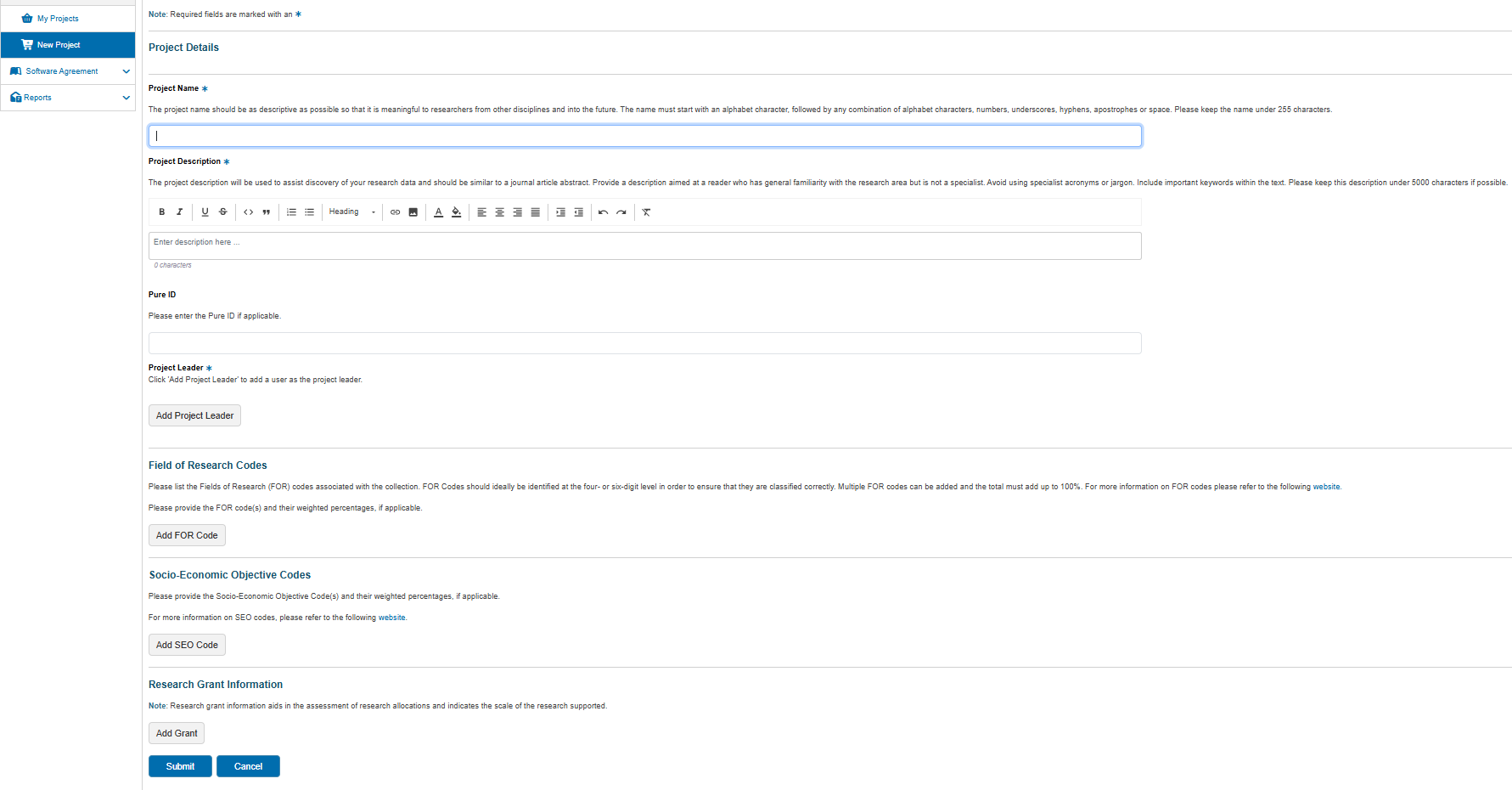
Below is an expanded view of the full form:
tip
Required fields are marked with an asterisk (*).
The form includes the following fields:
| Field | Description |
|---|---|
| Project Name | Enter a descriptive name for your project. This should be meaningful to collaborators. |
| Project Description | Provide a short plain-language abstract of the research, including relevant keywords. |
| Pure ID | If applicable, enter the Pure ID associated with this project. Otherwise this may be left blank. |
| Project Leader | Click Add Project Leader and search for the Chief Investigator (CI). The CI must hold a full-time appointment with Monash University or be an affiliate of Monash Partners. |
| Field of Research Codes | Click Add FOR Code to add one or more Field of Research codes and their percentages. |
| Socio-Economic Objective Codes | Click Add SEO Code to specify the socio-economic objectives and their percentages. |
| Research Grant Information | Click Add Grant to enter grant details supporting this project. |
When you have completed all required information, click Submit.
Your new project will then appear on the My Projects page.